What Happens to Your Client Files and Brand Assets When a Designer Leaves?

August 25, 2026

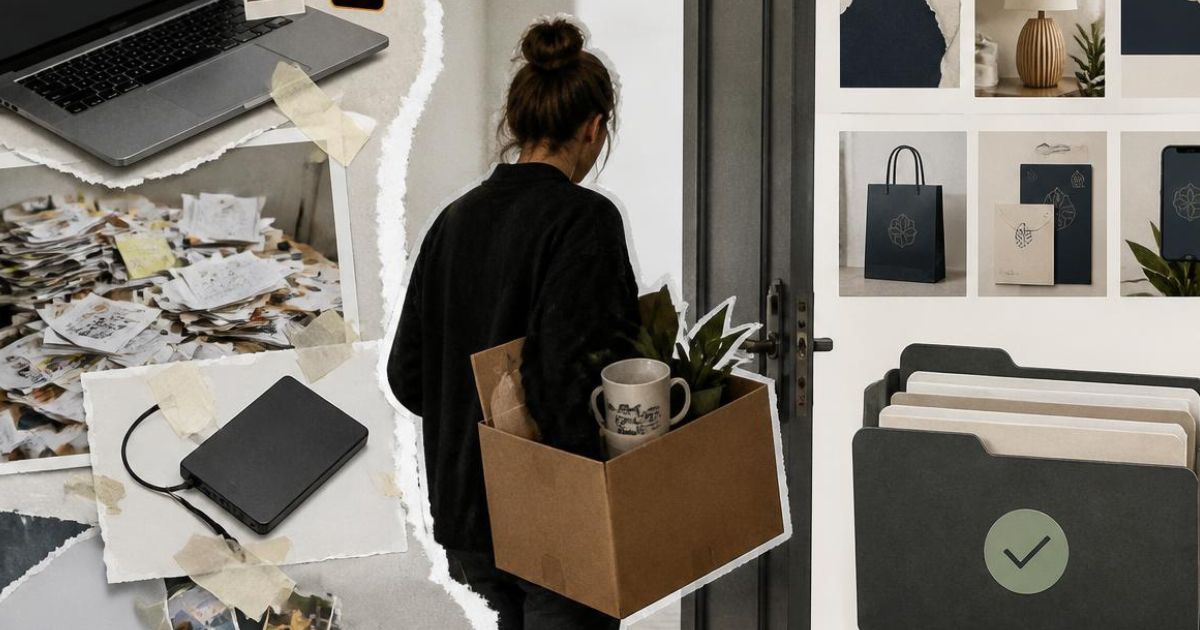
A designer hands in their notice. There's a handover conversation, a leaving lunch, and a card signed by the team. Two weeks later they're gone: and somewhere in the background, they still have access to the studio's shared drives, Adobe Creative Cloud account, and the client project folder they've been working in for the past eight months.

This scenario plays out regularly in creative studios of all sizes. It's not malicious, but it is an oversight. But the consequences can range from uncomfortable to genuinely serious: a former employee accessing confidential client work, brand assets that exist only on a personal laptop, or project files that simply can't be found because nobody knows where they were saved.

For branding agencies, interior design practices and design studios, client confidentiality is foundational. Clients share unreleased brand identities, unannounced product designs and commercially sensitive creative briefs. The expectation is that this material is handled securely. A poorly managed offboarding process puts that trust at risk.

That’s why, in this article:

  • Why creative studios are particularly vulnerable when staff leave
  • What access risks actually look like in a studio environment
  • The file storage problem most studios don't realise they have
  • How to manage offboarding properly, and what that requires technically
  • What good looks like: access controls and file management for creative teams
  • The questions worth asking before someone hands in their notice

Let’s start from the beginning.

Why creative studios are particularly vulnerable when staff leave

Most industries have employee departure processes that include IT as a matter of course. Creative studios often don't: not because studio owners don't care about security, but because the culture and working patterns of creative environments make formal IT processes feel at odds with how things actually get done.

Designers work across multiple devices. They save files locally when cloud sync is too slow. They use personal Adobe accounts alongside studio ones. They share work via WeTransfer, Dropbox links, or their own Google Drive when the client needs something quickly. None of this is unusual. All of it creates a data management challenge that becomes acute when that person leaves.

The ICO's guidance on security under UK GDPR is clear that organisations are responsible for ensuring personal data, including client data, is properly protected regardless of which employee handles it. A breach caused by a former employee retaining access to client files is the studio's liability, not the individual's. That's a meaningful legal and reputational exposure for a business whose client relationships depend on discretion.

What access risks actually look like in a studio environment

The risks fall into a few distinct categories, each worth understanding separately.

Retained system access

Retained system access is the most straightforward. If a former employee's login credentials aren't deactivated promptly, they retain access to whatever systems those credentials unlocked: shared drives, project management tools, email, cloud storage, and client-facing platforms. Most studios are surprised, when they audit this properly, by how many accounts a single employee touches over the course of their time there.

Shared account access

Shared account access is more complex. Many design studios use shared Adobe Creative Cloud accounts, shared Figma workspaces, or shared login credentials for stock image platforms. When someone leaves, changing the password to a shared account is disruptive to everyone still using it; so it often doesn't happen. The departing employee retains access, and nobody has a clean way to revoke it without interrupting the team's work.

Local file storage

Local file storage is perhaps the trickiest. If designers have been saving work locally, to their studio laptop, or worse, to a personal machine, those files don't automatically transfer to the studio's shared storage when they leave. Work that exists only on a personal device is work the studio may never recover. This is particularly acute for design files, which are large, version-dependent, and often linked to fonts, assets and libraries stored in the same local environment.

Cloud storage fragmentation

Cloud storage fragmentation compounds this. A designer who has been working across the studio's shared drive, their personal Dropbox, and a client-shared Google Drive folder has created a file landscape that's difficult to consolidate even with full cooperation — and harder still without it.

For a broader look at how to protect your team and client data in a remote or hybrid working environment, our article on helping employees stay secure in the remote era covers the practical steps creative businesses should have in place.

The file storage problem most studios don't realise they have

The underlying issue for most creative studios is not that people are behaving badly. It's that there is no single, authoritative place where project files live. Work accumulates across local drives, personal cloud accounts, shared folders and email attachments, and nobody has a complete picture of where the canonical version of any given asset actually is.

This creates problems that don't require someone to leave to become apparent: lost files, version conflicts, and duplicated work are common symptoms of poor file management in any creative environment. But a departure makes the problem immediate and urgent in a way that day-to-day friction doesn't.

The solution is centralised file storage with clearly enforced conventions: a single shared environment where all project work is saved, with a folder structure and naming convention that makes files findable by anyone on the team; not just the person who created them. Our article on the most secure places to store your data covers the broader principles of structured, secure data storage that apply directly to creative studio environments.

How to manage offboarding properly

Proper offboarding in a creative studio context involves several distinct steps that need to happen in a defined order, ideally before a departing employee's last day, not after.

Access deactivation

Access deactivation should happen on the employee's final day, not at some point afterwards. This means a complete audit of every system the individual has access to: shared drives, project management platforms, Adobe accounts, client portals, email, and any other tools they've been using. The NCSC's guidance on identity and access management recommends that organisations maintain an up-to-date register of user accounts and access rights: a checklist maintained throughout employment is significantly more reliable than trying to reconstruct this from memory at the point of departure.

File consolidation

File consolidation should happen during the notice period, with the departing employee's involvement. This is the opportunity to ensure that all work-in-progress files are saved to the studio's shared storage, that local copies are transferred, and that any work stored in personal accounts is moved across. This requires cooperation, which is easier to secure during a notice period than after someone has left.

Credential changes

Credential changes for any shared accounts the employee had access to should follow deactivation. This is disruptive but necessary. Individual accounts per user, rather than shared logins, eliminate this problem entirely and are worth the administrative overhead of setting up properly.

A handover document

A handover document covering the status of active projects, file locations, client contact details and any outstanding tasks is standard good practice and directly reduces the risk of project continuity issues after departure.

What good looks like: access controls for creative teams

The studios that manage staff departures cleanly tend to have a few things in common. Individual user accounts for every system, rather than shared logins. Centralised file storage that everyone uses consistently. A clear process for onboarding new team members, which, if done properly, naturally creates the framework for offboarding them later.

Role-based access controls: where each team member can access only the systems and files relevant to their work, reduce the blast radius of any departure. A junior designer doesn't need access to financial records or all client files. A freelancer brought in for a specific project doesn't need access to the studio's full archive. The NCSC's 10 Steps to Cyber Security identifies identity and access management as one of the most impactful areas any organisation can focus on: and it's one where creative studios consistently have room to improve.

Multi-factor authentication (MFA) on all key systems adds a layer of protection that means a former employee's credentials alone aren't enough to access studio systems, even if those credentials haven't been immediately deactivated. Our article on why two factors are better than one covers why MFA is one of the most effective and straightforward security measures any studio can implement.

For studios that handle sensitive client campaign data specifically, our guide to protecting marketing campaign data is worth reading alongside this article.

The questions worth asking now

If you're not sure how your studio would handle a departure today, a few questions are worth sitting with: Do you have a complete list of every system each team member has access to? 

If a designer left tomorrow, how long would it take to deactivate all of their access? 

Do you know where all current project files are saved, and are they all in a place the studio controls? 

Are any studio accounts shared logins that would need a password change?

If the answers are uncertain, that's useful information. The time to put these processes in place is before someone hands in their notice, not after.

Good IT management for creative studios isn't about adding bureaucracy to a creative environment. It's about making sure the work your team produces, and the client relationships that depend on it, are protected when the inevitable moments of change happen. Lyon Tech supports branding agencies, interior design practices and design studios across London with the IT infrastructure and processes that keep creative businesses running securely. Find out more about how we work with creative studios.

About Lyon Tech

Creative studios handle confidential client work, unreleased brand assets and commercially sensitive briefs every day. 

Lyon Tech provides specialist IT support for branding agencies, interior design practices and design studios across London: helping creative businesses protect their client data, manage access controls properly, and keep their teams working without disruption. Explore more.


Write to us,
we will get back to you soon

Thank you! Your submission has been received!
Oops! Something went wrong while submitting the form.

What Happens to Your Client Files and Brand Assets When a Designer Leaves?

August 25, 2026

Staff turnover is a fact of life in creative studios. But most branding, interior design and design studios don't have a clear answer to a surprisingly important question: what actually happens to client files, brand assets and project data when a designer walks out the door? This article covers the data security and access control risks that come with employee departures: and what studios need to have in place to manage them properly.

A designer hands in their notice. There's a handover conversation, a leaving lunch, and a card signed by the team. Two weeks later they're gone: and somewhere in the background, they still have access to the studio's shared drives, Adobe Creative Cloud account, and the client project folder they've been working in for the past eight months.

This scenario plays out regularly in creative studios of all sizes. It's not malicious, but it is an oversight. But the consequences can range from uncomfortable to genuinely serious: a former employee accessing confidential client work, brand assets that exist only on a personal laptop, or project files that simply can't be found because nobody knows where they were saved.

For branding agencies, interior design practices and design studios, client confidentiality is foundational. Clients share unreleased brand identities, unannounced product designs and commercially sensitive creative briefs. The expectation is that this material is handled securely. A poorly managed offboarding process puts that trust at risk.

That’s why, in this article:

  • Why creative studios are particularly vulnerable when staff leave
  • What access risks actually look like in a studio environment
  • The file storage problem most studios don't realise they have
  • How to manage offboarding properly, and what that requires technically
  • What good looks like: access controls and file management for creative teams
  • The questions worth asking before someone hands in their notice

Let’s start from the beginning.

Why creative studios are particularly vulnerable when staff leave

Most industries have employee departure processes that include IT as a matter of course. Creative studios often don't: not because studio owners don't care about security, but because the culture and working patterns of creative environments make formal IT processes feel at odds with how things actually get done.

Designers work across multiple devices. They save files locally when cloud sync is too slow. They use personal Adobe accounts alongside studio ones. They share work via WeTransfer, Dropbox links, or their own Google Drive when the client needs something quickly. None of this is unusual. All of it creates a data management challenge that becomes acute when that person leaves.

The ICO's guidance on security under UK GDPR is clear that organisations are responsible for ensuring personal data, including client data, is properly protected regardless of which employee handles it. A breach caused by a former employee retaining access to client files is the studio's liability, not the individual's. That's a meaningful legal and reputational exposure for a business whose client relationships depend on discretion.

What access risks actually look like in a studio environment

The risks fall into a few distinct categories, each worth understanding separately.

Retained system access

Retained system access is the most straightforward. If a former employee's login credentials aren't deactivated promptly, they retain access to whatever systems those credentials unlocked: shared drives, project management tools, email, cloud storage, and client-facing platforms. Most studios are surprised, when they audit this properly, by how many accounts a single employee touches over the course of their time there.

Shared account access

Shared account access is more complex. Many design studios use shared Adobe Creative Cloud accounts, shared Figma workspaces, or shared login credentials for stock image platforms. When someone leaves, changing the password to a shared account is disruptive to everyone still using it; so it often doesn't happen. The departing employee retains access, and nobody has a clean way to revoke it without interrupting the team's work.

Local file storage

Local file storage is perhaps the trickiest. If designers have been saving work locally, to their studio laptop, or worse, to a personal machine, those files don't automatically transfer to the studio's shared storage when they leave. Work that exists only on a personal device is work the studio may never recover. This is particularly acute for design files, which are large, version-dependent, and often linked to fonts, assets and libraries stored in the same local environment.

Cloud storage fragmentation

Cloud storage fragmentation compounds this. A designer who has been working across the studio's shared drive, their personal Dropbox, and a client-shared Google Drive folder has created a file landscape that's difficult to consolidate even with full cooperation — and harder still without it.

For a broader look at how to protect your team and client data in a remote or hybrid working environment, our article on helping employees stay secure in the remote era covers the practical steps creative businesses should have in place.

The file storage problem most studios don't realise they have

The underlying issue for most creative studios is not that people are behaving badly. It's that there is no single, authoritative place where project files live. Work accumulates across local drives, personal cloud accounts, shared folders and email attachments, and nobody has a complete picture of where the canonical version of any given asset actually is.

This creates problems that don't require someone to leave to become apparent: lost files, version conflicts, and duplicated work are common symptoms of poor file management in any creative environment. But a departure makes the problem immediate and urgent in a way that day-to-day friction doesn't.

The solution is centralised file storage with clearly enforced conventions: a single shared environment where all project work is saved, with a folder structure and naming convention that makes files findable by anyone on the team; not just the person who created them. Our article on the most secure places to store your data covers the broader principles of structured, secure data storage that apply directly to creative studio environments.

How to manage offboarding properly

Proper offboarding in a creative studio context involves several distinct steps that need to happen in a defined order, ideally before a departing employee's last day, not after.

Access deactivation

Access deactivation should happen on the employee's final day, not at some point afterwards. This means a complete audit of every system the individual has access to: shared drives, project management platforms, Adobe accounts, client portals, email, and any other tools they've been using. The NCSC's guidance on identity and access management recommends that organisations maintain an up-to-date register of user accounts and access rights: a checklist maintained throughout employment is significantly more reliable than trying to reconstruct this from memory at the point of departure.

File consolidation

File consolidation should happen during the notice period, with the departing employee's involvement. This is the opportunity to ensure that all work-in-progress files are saved to the studio's shared storage, that local copies are transferred, and that any work stored in personal accounts is moved across. This requires cooperation, which is easier to secure during a notice period than after someone has left.

Credential changes

Credential changes for any shared accounts the employee had access to should follow deactivation. This is disruptive but necessary. Individual accounts per user, rather than shared logins, eliminate this problem entirely and are worth the administrative overhead of setting up properly.

A handover document

A handover document covering the status of active projects, file locations, client contact details and any outstanding tasks is standard good practice and directly reduces the risk of project continuity issues after departure.

What good looks like: access controls for creative teams

The studios that manage staff departures cleanly tend to have a few things in common. Individual user accounts for every system, rather than shared logins. Centralised file storage that everyone uses consistently. A clear process for onboarding new team members, which, if done properly, naturally creates the framework for offboarding them later.

Role-based access controls: where each team member can access only the systems and files relevant to their work, reduce the blast radius of any departure. A junior designer doesn't need access to financial records or all client files. A freelancer brought in for a specific project doesn't need access to the studio's full archive. The NCSC's 10 Steps to Cyber Security identifies identity and access management as one of the most impactful areas any organisation can focus on: and it's one where creative studios consistently have room to improve.

Multi-factor authentication (MFA) on all key systems adds a layer of protection that means a former employee's credentials alone aren't enough to access studio systems, even if those credentials haven't been immediately deactivated. Our article on why two factors are better than one covers why MFA is one of the most effective and straightforward security measures any studio can implement.

For studios that handle sensitive client campaign data specifically, our guide to protecting marketing campaign data is worth reading alongside this article.

The questions worth asking now

If you're not sure how your studio would handle a departure today, a few questions are worth sitting with: Do you have a complete list of every system each team member has access to? 

If a designer left tomorrow, how long would it take to deactivate all of their access? 

Do you know where all current project files are saved, and are they all in a place the studio controls? 

Are any studio accounts shared logins that would need a password change?

If the answers are uncertain, that's useful information. The time to put these processes in place is before someone hands in their notice, not after.

Good IT management for creative studios isn't about adding bureaucracy to a creative environment. It's about making sure the work your team produces, and the client relationships that depend on it, are protected when the inevitable moments of change happen. Lyon Tech supports branding agencies, interior design practices and design studios across London with the IT infrastructure and processes that keep creative businesses running securely. Find out more about how we work with creative studios.

About Lyon Tech

Creative studios handle confidential client work, unreleased brand assets and commercially sensitive briefs every day. 

Lyon Tech provides specialist IT support for branding agencies, interior design practices and design studios across London: helping creative businesses protect their client data, manage access controls properly, and keep their teams working without disruption. Explore more.

About Lyon Tech
When a designer leaves, your client files and brand assets shouldn't go with them. Lyon Tech provides specialist IT support for branding agencies, interior design practices and design studios across London: helping creative businesses manage access controls, protect client data and stay secure through every stage of the team lifecycle.
Explore more

Sign up for monthly updates

Thank you! Your submission has been received!
Oops! Something went wrong while submitting the form.
Thin white curved line forming loops and waves on a black background.